 Audio (343) Audio (343)
Datatype (51)
Demo (203)
Development (596)
Document (22)
Driver (97)
Emulation (147)
Game (1005)
Graphics (497)
Library (115)
Network (232)
Office (66)
Utility (924)
Video (69)
Total files: 4367
Full index file
Recent index file
Amigans.net
OpenAmiga
Aminet
IntuitionBase
|
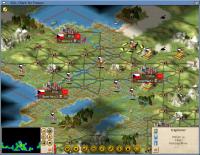
Freeciv-sdl | | Description: | Open source empire-building strategy | | Download: | freeciv-sdl.lha (TIPS: Use the right click menu if your browser takes you back here all the time) | | Size: | 18Mb | | Version: | 2.3.3 | | Date: | 25 Dec 2012 | | Author: | FreeCiv team | | Submitter: | Thematic | | Homepage: | http://www.freeciv.org/ | | Requirements: | For full version, see list of shared objects below. | | Category: | game/strategy | | Replaces: | game/strategy/freeciv-sdl.lha | | License: | GPL | | Distribute: | yes | | Min OS Version: | 4.0 | | FileID: | 7605 | | | | Snapshots:
 | |
| | Comments: | 27 | | Snapshots: | 1 | | Videos: | 0 | | Downloads: | 402 (Current version) | | 970 (Accumulated) | | Votes: | 0 (0/0) (30 days/7 days) | |
      This is the 6th release of a port of FreeCiv 2 for AmigaOS 4.
There is an install script now, but extracting
the archive and running should work as it used to.
For a summary of the general changes, read NEWS-2.3.
Tilesets can be changed after installation from the command line or
data/.freeciv/.clientrc prior to starting the client.
The game consists of a server and a client. The suggested client
requires the following shared objects (if in doubt try the larger,
static binary freeciv-sdl-os4.0):
libfreetype.so
libpthread.so
libSDL_mixer-1.2.so
libsmpeg-0.4.so
libvorbisfile.so
libvorbis.so
libogg.so
libmikmod.so
libFLAC.so
and (these are standard)
libSDL-1.2.so
libstdc++.so
libgcc.so
libc.so
The client is basically the SDL variety with two of its features dropped,
namely launching of the server and locale support. The included starting
script allows you to load a saved game, since this also requires a
(re)start of the server. You can save from within the client. Remember
that if your Freeciv username (option -n ) does not match the one you
used when saving, you won't get in the game.
In case the public server list doesn't come up, point your browser at
http://meta.freeciv.org/metaserver.php
Other known bugs, noticed while testing OS4 release (OS specific?):
* Client: Some of the keyboard commands stop working if you run in
fullscreen and return to Freeciv screen with the keyboard, in other words
a key is depressed. So if you care about the keyboard shortcuts, use a
mouse for this. Cursor/numpad keys always work.
|
