 Audio (343) Audio (343)
Datatype (51)
Demo (203)
Development (600)
Document (22)
Driver (97)
Emulation (148)
Game (1005)
Graphics (499)
Library (116)
Network (233)
Office (66)
Utility (928)
Video (69)
Total files: 4380
Full index file
Recent index file
Amigans.net
OpenAmiga
Aminet
IntuitionBase
|
Warpview | | Description: | Fast Image Viewer and Editor | | Download: | warpview.lha (TIPS: Use the right click menu if your browser takes you back here all the time) | | Size: | 603kb | | Version: | 1.06 | | Date: | 09 Feb 2014 | | Author: | Stephen Fellner | | Submitter: | Stephen Fellner | | Email: | sf amiga/gmail com | | Homepage: | http://warpview.amigarevolution.com | | Category: | graphics/viewer | | Replaces: | graphics/viewer/warpview.lha | | License: | Freeware | | Distribute: | yes | | Min OS Version: | 4.0 | | FileID: | 8624 | | | | Snapshots:
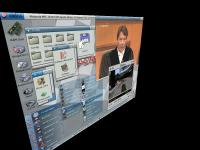 | |
| | Comments: | 22 | | Snapshots: | 1 | | Videos: | 0 | | Downloads: | 641 (Current version) | | 4703 (Accumulated) | | Votes: | 0 (0/0) (30 days/7 days) | |
      WarpView is a program for viewing and manipulating images, with the following
key features:
- View images of nearly any format (via DataTypes)
- Very fast loading of JPEG files via internal JPEG decoder
- Can use the 3D hardware for really smooth zoom, scroll and 2D/3D rotation
- Provides Software Draw Mode for systems with no 3D hardware, or too little
video memory
- Slideshow capability with nice wipes in both Warp3D and Software modes
- Image sorting (Copy, Move, Delete) functions
- Provides some basic image manipulation functions:
- Scale/Resize with four types of resampling algorithms
- Crop with both mouse-driven and numeric input capability
- Changing image orientation
- Gaussian Blur and Unsharp Mask filters
- Undo/Redo possibility
- Image saving in JPEG or PNG formats with configurable options
- Supports the Exif 2.2 standard for loading and displaying additional image
information (orientation, ISO speed, exposure time, aperture, etc.)
- Automatically rotates images to correct orientation based on Exif data
WarpView is now free. A public keyfile was released by the author which is
now included in this release. If you like this software you can still show your
appreciation by sending a small donation.
Changes in this version (v1.06):
- Fixed a bug in the Blur and Unsharp Mask code which could cause crashes
- Implemented preview for Blur and Unsharp Mask filters
- Added new noise reduction filter (experimental)
- Added new Lanczos Sharp scaling method
- Added new Intensity Adjustment option (Brightness, Contrast, Gamma)
- Public keyfile is now included
|
