 | Logo by mason (anonymous IP: 216.73.216.206,2511) | |||||||||||||
| ||||||||||||||
 Audio (351) Datatype (51) Demo (212) Development (628) Document (24) Driver (102) Emulation (155) Game (1057) Graphics (516) Library (123) Network (242) Office (69) Utility (961) Video (74) Audio (351) Datatype (51) Demo (212) Development (628) Document (24) Driver (102) Emulation (155) Game (1057) Graphics (516) Library (123) Network (242) Office (69) Utility (961) Video (74) Total files: 4565 Full index file Recent index file
Amigans.net Aminet IntuitionBase Hyperion Entertainment A-Eon Amiga Future
Support the site
|
      H - Immersion
AmigaOS4 port (c) kas1e
=======================
ABOUT
-----
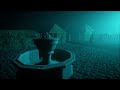
H - Immersion in its original form is a 64kB intro created by the French
demogroup Ctrl-Alt-Test. The code was written by Julien "Zavie" Guertault
and Laurent "LLB" Le Brun. The music was composed by Daniel Lindholm.
A first version was presented at Revision 2017 and ranked 5th out of 10.The
final version, with a different ending, was released in December 2017; that
is the version we ported to AmigaOS4.
If you are interested in digging into the details of how the demo was done,
you can always visit CTrl-Alt-Test's place for more info:
https://www.ctrl-alt-test.fr/2018/a-dive-into-the-making-of-immersion/
AMIGAOS4 PORT
-------------
For the AmigaOS4 port,I had to do some heavy lifting: initial generation of
textures was taking some time on the CPU, so I first used them as external
files, but it was about 30 MB of data: no way! So, at first I converted all
textures to WebP while keeping 1:1 quality,but it was still 22 MB. Then the
small ones were embedded in the binary as WebP, while the large ones were
moved to be generated directly on the GPU, where I calculate many pixels in
parallel and keep the results ready for rendering,without the need for slow
CPU generation and extra memory copies.
Music also comes as an external Opus file, as the original SSE-based synth
is quite heavy when ported to 20 years old PPC CPUs. Opus was chosen over
MP3 just to save a bit more space as well.
The binary itself also had some work done: getting rid of C++ baggage in
file I/O by replacing it with C equivalents,and shrinking SDL2, which I use
together with Mesa.
So all this brings the package down to a reasonable size,while keeping load
/generation time reasonable (~35sec on X1000), and, thanks to Mesa, all the
visuals, shaders and co. remain 1:1 the same.
Everything is statically linked, so you have nothing to worry about: just
unpack and watch.
On an AmigaONE X1000/2 GHz with a Radeon RX 570, you may expect from 90 to
200 FPS across the whole demo (FPS can be seen in the title of the window
when in window mode).
COMMAND-LINE OPTIONS
--------------------
Usage:
Immersion [options]
Options:
--windowed
--window
--win
Start in a window. Fullscreen desktop mode is used by default.
--width N
Set the startup width.
Default: 1280
--height N
Set the startup height.
Default: 720
--debug
Show diagnostic output
--help
-h
Display the command-line help and exit.
RUNTIME CONTROLS
----------------
Alt+Enter / Left mouse-button dbl-click
Toggle fullscreen and windowed modes.
Escape
Exit the intro.
(c) kas1e 24.09.2026
| |||||||||||||||||||||||||||||||||||||||||||||||||||||||||||||
| Copyright © 2004-2026 by Björn Hagström All Rights Reserved |