 | Logo by Alkaron (anonymous IP: 216.73.216.46,2532) | |||||||||||||
| ||||||||||||||
 Audio (354) Datatype (52) Demo (214) Development (632) Document (24) Driver (105) Emulation (158) Game (1070) Graphics (519) Library (124) Network (250) Office (75) Utility (962) Video (75) Total files: 4614 Full index file Recent index file
Amigans.net Aminet IntuitionBase Hyperion Entertainment A-Eon Amiga Future
Support the site
|
      ================================================================
Mupen64Plus 2.6.0
A Nintendo 64 emulator for AmigaOS 4.1
================================================================
Description
-----------
Mupen64Plus is a native PowerPC AmigaOS 4.1 port of the well-known
open source Nintendo 64 emulator. Core, video, audio, input and RSP
plugins are linked into one single binary, so there are no plugin
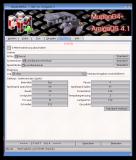
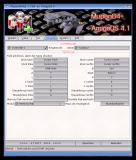
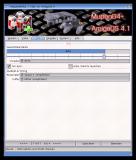
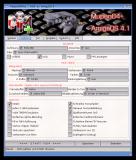
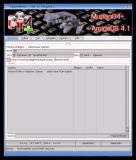
files to install. Started without arguments, it opens a ReAction
window where you pick a ROM and adjust all settings; started from the
Shell with arguments, it behaves like the original command line
frontend.
Features
--------
- Native ReAction start window with ROM list, search field and
ROM drawer selection
- CPU: Dynarec / JIT (recommended), Cached Interpreter or Pure
Interpreter
- Video: Rice or Glide64mk2 (OpenGL)
- Audio: SDL, input: SDL (keyboard, game pad and mouse
configuration in the window)
- RSP: HLE
- Settings are saved from the window (Save button) or when
starting a game
- Savestates, SRAM/EEPROM saves and screenshots are kept in
PROGDIR:userdata
- Localised GUI (locale.library, German catalog included)
- Shell support with the original command line options
- Workbench icons and a new banner created by McFly
Requirements
------------
- AmigaOS 4.1 Final Edition
- A PowerPC AmigaOS 4 compatible system with an OpenGL capable
graphics card
- Your own N64 ROMs (not included)
Installation
------------
1. Copy the Mupen64Plus drawer to your hard disk (e.g. Work:).
2. Put your ROMs into the Roms drawer (or choose another drawer
in the System tab of the start window).
3. Double-click the mupen64plus icon, select a ROM and press
START N64.
Drawers (all relative to PROGDIR:)
data/ mupen64plus.ini, cheats, font, Rice, Glide64 and input
configuration
Roms/ ROMs shown in the list of the start window
Catalogs/ translations of the start window
images/ banner of the start window
config/ mupen64plus.cfg and m64p_gui.prefs (created on first
start)
userdata/ savestates, saves (SRAM/EEPROM), screenshots
cache/ cache
Usage from Shell
----------------
mupen64plus [options] <rom.z64>
Examples:
mupen64plus --fullscreen --resolution 640x480 Work:Roms/game.z64
mupen64plus --help
The options --audio, --input, --rsp and --plugindir have no effect,
because there is exactly one plugin of each type built in. The video
plugin is chosen in the start window (GPU) or with --gfx
mupen64plus-video-rice / mupen64plus-video-glide64mk2.
Log to PROGDIR:stdout.txt (stdout and stderr): SetEnv M64P_LOG 1
Credits
-------
- Mupen64Plus team (https://mupen64plus.org) for the emulator
- Icons and banner: McFly
- AmigaOS 4.1 port and ReAction GUI: Falke_34, Maijestro
Contact
-------
Authors: Falke_34, Maijestro
Email: falke.34()gmx.de
================================================================
History / Changelog
================================================================
v2.6.0 (01.11.26)
- First AmigaOS 4.1 release of Mupen64Plus 2.6.0
- New ReAction start window, new banner and new icons by McFly
| ||||||||||||||||||||||||||||||||||||||||||||||||||||||||||||||||||

| Copyright © 2004-2026 by Björn Hagström All Rights Reserved |