 | Logo by Nickman (anonymous IP: 216.73.217.13,2520) | |||||||||||||
| ||||||||||||||
 Audio (352) Datatype (51) Demo (214) Development (629) Document (24) Driver (103) Emulation (156) Game (1064) Graphics (516) Library (123) Network (243) Office (69) Utility (962) Video (74) Audio (352) Datatype (51) Demo (214) Development (629) Document (24) Driver (103) Emulation (156) Game (1064) Graphics (516) Library (123) Network (243) Office (69) Utility (962) Video (74) Total files: 4580 Full index file Recent index file
Amigans.net Aminet IntuitionBase Hyperion Entertainment A-Eon Amiga Future
Support the site
|
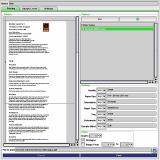
      AirPrint Printer utility for AmigaOS4 This is only released trough the Forum of www.amigans.net for Alpha testing. Still early stage, but work is ongoing. Release 0.36A: 1. Printer spooler directory should work properly now, this caused a lot of problems. 2. Printers was found trough search function, but printer properties was not added correctly or not found. Should be working better now. 3. Added SSL support, but require that you have AmiSSL installed, link to Os4Depot above. For some of the debug logs I got from you, the printers required SSL. 4. In the search window I added the possibility to search by manual ip address in case your printer is located on another subnetwork and my auto search does not find it. Installation: 1. After unarchiving, use the installer script, AirPrint will be installed in Sys:Prefs/Airprint directory. 2. Printer prefs will now open automatically. Select airprint as printer driver and airprint.device as Port Device. Save and quit 3. Open the Airprint utility from Sys:Prefs/Airprint directory and search for your printer and add it. 4. There is a settings tab in airprint where you select your spooler directory. This is by default set to 'T:Airprint_Spooler' If you are going to print large documents you should change this to a location on your hard drive, but should be ok where it is for normal prints. You should now be ready to use it for printing. It should support printing from: 1. notepad 2. AmiPDF 3. AmiGS 4. Odyssey 5. IBrowse (But follow their documentation for enabling fonts for printing) 6. Multiview 7. etc. From airprint app itself you can open pdf, jpeg and text files for printing. Dont expect it to work perfectly or even at all for the moment, but every issues I hope you can bring up here and I expect many issues to arise in the beginning. ToDo: 1. Support for printing other picture formats from airprint utility itself. 2. Porting of Ghostscript. 3. Printout at the moment is at 150dpi, change dpi regarding size of the picture that is printed. 4. Support all papersizes, at the moment it only supports A4 and US Letter. 5. Improve support for FinalWriter and other classic utilities 6. Add support for Apples raster format, which is required for some printers Released 18.02.2025 | ||||||||||||||||||||||||||||||||||||||||||||||||||||||||||
| Copyright © 2004-2026 by Björn Hagström All Rights Reserved |